
Coffee Service Machine Types and How to Choose One

Why do most buyers compare coffee machines by purchase price when the true cost appears later, cup by cup, in restocking, cleaning, waste, and staff time spent leaving the building?
That question changes the decision. A cheap machine that sits idle, brews poorly, or runs out at 9 a.m. costs more per usable cup than a better-matched system that serves your busiest hour without a line. The useful test isn't price of the box. It's cost per cup consumed plus staff hours returned because people don't drive out for coffee.
Start with three facts you can gather in a week. Count cups per day, note your peak hour, and list the drinks people ask for beyond black coffee. With those numbers, machine type, water, energy, and service choices become practical rather than guesswork.
Coffee Service Machine Types Compared Side by Side
A coffee service machine is a commercial coffee system placed at a workplace or public site and kept stocked and serviced, usually by a vending operator.
That service part matters. You're not just buying a brewer for a counter. You're choosing who fills it, cleans it, fixes it, and decides what goes in it. If that part is unclear, even a good machine becomes someone's unpaid side job in your building.
How to Read the Comparison
Match daily cup count and drink variety first. Then check budget and staff capacity. A site serving a morning rush of shared drip coffee has different needs from a small lounge where five people want five different drinks.
Type | How it brews | Best fit | Main trade-off |
|---|---|---|---|
Bean-to-cup | Grinds whole beans and brews each cup on demand | Offices and sites that want fresh, varied drinks | Higher upfront cost and more upkeep |
Pod or capsule | Brews single portions from sealed pods | Low-volume sites with mixed tastes | Packaging waste and higher cost per cup |
Brewer system | Brews batches into a thermal carafe or hopper | High-volume, shared-cup break rooms | Flavor declines the longer coffee sits |
Bean-to-cup gives you the freshest cup and the most control over strength, because grinding happens per drink. It also asks the most from maintenance, since grinders, brew units, and milk paths need regular attention. If you're weighing that option, it's worth reviewing how commercial bean-to-cup coffee machines handle output and upkeep before you commit.
Pod or capsule systems keep things tidy. Each person picks a flavor, inserts a sealed pack, and walks away. There's little mess, but you pay for that convenience in every cup and in packaging you throw away.
Brewer systems suit volume. One batch fills a carafe for a team meeting or a shift change, so cost per cup can stay low. The weakness is time. Coffee that sits loses its edge, and the last cup rarely tastes like the first.
Practical rule: Pick the type for your busiest hour, not your average day.
Pros and Cons of Coffee Service Machines for Workplaces
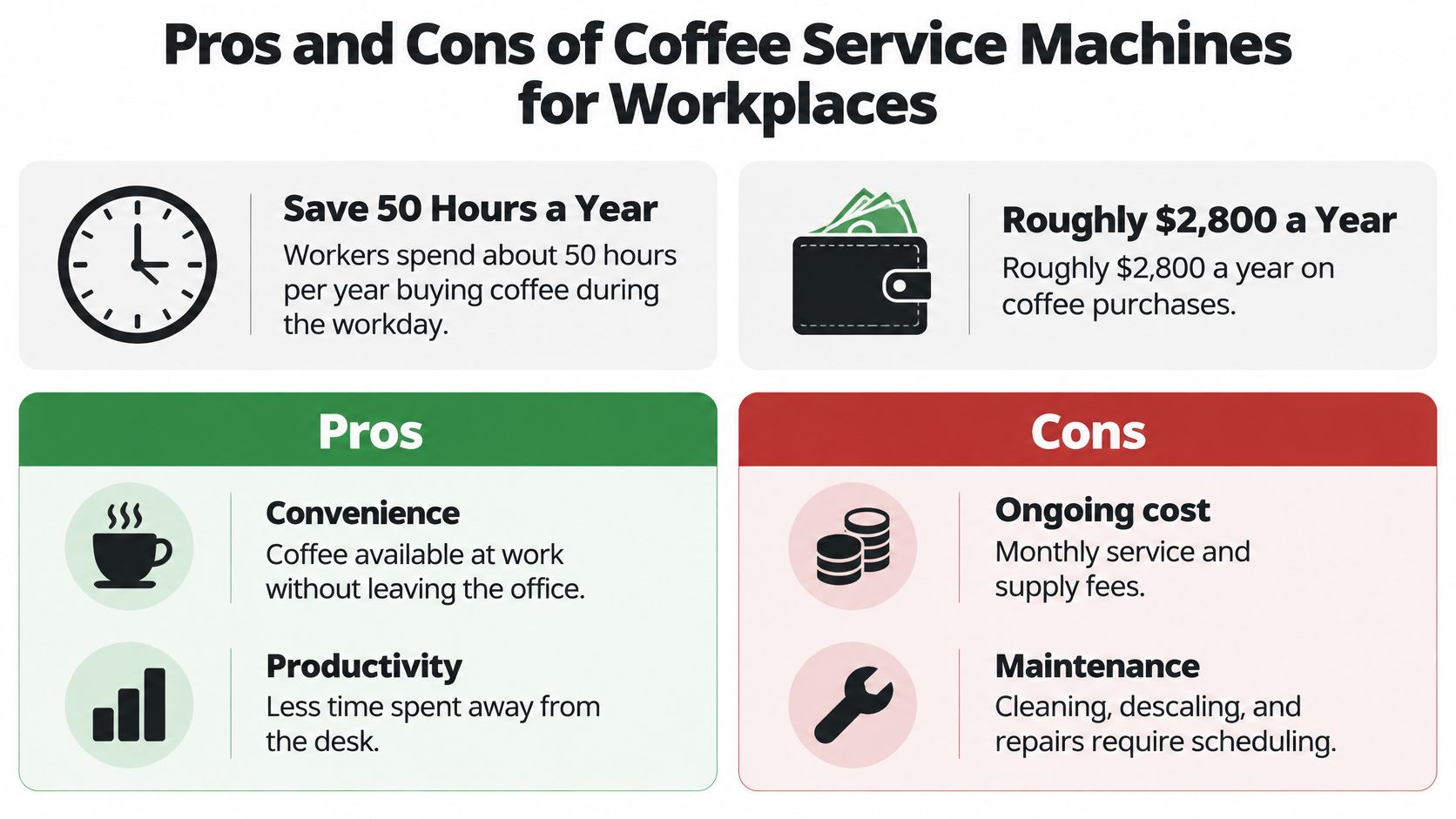
The easiest benefit to measure is time returned. A 2025 workplace survey reported that the average worker spends 50 hours per year purchasing coffee during the workday and approximately $2,800 annually on coffee.
You don't need to accept those figures as your building's reality. You do need your own count. If ten people leave for fifteen minutes each weekday, that's real paid time walking out the door, even before you count parking, queues, and late restarts to work.
What You Gain
Fewer off-site trips: Staff stay in the building, so breaks stay closer to break length.
Shorter queues: A self-service machine spreads demand across the morning instead of sending everyone to one café counter.
Goodwill you can test: In that same survey, 80% said free workplace beverages would make them feel valued.
Choice beyond hot black coffee: Iced and dairy-free options let people who don't drink traditional coffee use the amenity too.
Facilities managers sometimes need hot water for tea alongside coffee. If your break room serves both, the Ring Hot Water office unit guide is a useful reference for sizing a dedicated hot-water unit rather than overworking the coffee machine.
What It Costs You in Practice
The drawbacks are concrete. You need a power point and, for many systems, a water line. Someone must handle sanitation, milk components can't sit neglected, and unused stock becomes waste. Use also tilts by shift. Day staff may empty a machine that night staff find bare, which creates a fairness complaint you could've avoided with restock timing.
Build a total cost of service ledger for one month. Add the contract or purchase payment, restocking, power and water, cleaning labor, and waste from unused stock. Divide the total by cups served.
That gives you cost per cup. Set it beside staff hours returned, stockout frequency, and employee feedback. If cost per cup is reasonable and trips out drop, the amenity earns its place. If cups per employee stay low and waste stays high, change the menu, the machine size, or the service schedule before you renew anything.
Where Coffee Service Machines Fit Beyond the Office
Most coffee advice assumes a desk job. That's too narrow. Industry reporting in the 2025 State of the Office Coffee Service report found offices and professional workplaces represented only 40% of office-coffee-service revenue.
The same report found nearly three-quarters of customer sites had fewer than 250 employees, with 20 to 49 employees the most common size. Right-sizing matters more than raw capacity for most buyers.
Match the Machine to the Setting
Schools and colleges need reliable teacher lounge service and a simple menu staff can use between classes. Low-maintenance systems win here because no teacher has time to troubleshoot a milk line before first period. We provide break room vending for teacher lounges, apartment community areas, and office breakrooms, which reflects how different those daily rhythms are.
Hospitals and clinics need predictable restocking across shifts and sanitation you can document. A waiting area and a staff break room also have different users. Patients need simple, clean self-service. Clinical staff need speed at odd hours.
Manufacturing sites run on shift peaks. Demand spikes at start time and scheduled breaks, then drops. A machine that's too slow creates a line that eats the break it was meant to support. Overnight crews need the same access as day crews, so restock timing can't favor one shift.
Apartment communities need a small, self-service unit in a shared lounge. Residents won't call a help desk for coffee, so payment and brewing steps must be obvious on the first try.
Airports and stadiums face surges. Flights board, halftime hits, and fifty people want a drink in ten minutes. Throughput, not menu length, decides whether the setup works.
Use a simple sizing method everywhere. Count staff or expected users on each shift, estimate cups at the busiest hour, and compare that peak with the machine's rated throughput. Test your estimate against that common 20 to 49 employee pattern if your site is small. If you're comparing managed programs for non-office sites, reviewing a service model like Blue Tiger coffee service can help you frame questions about menu and restocking.
The right machine isn't the largest one. It's the one matched to your peak, your schedule, and the drinks people actually choose.
Brewing Temperature and Water Checks for Consistent Cups
Temperature controls extraction. That's the plain version. Water that's too cool under-extracts coffee, so the cup tastes weak or sour. Poor thermal control pushes flavor the other way, toward bitterness. Either way, staff pay for the drift in wasted pods, remade drinks, and time spent troubleshooting a machine that isn't broken.
The Specialty Coffee Association brewer specification requires the coffee slurry to reach and remain between 90 and 96°C during brewing. That's measured at the slurry, not just at a heater setting on a spec sheet. A machine can show a hot tank temperature and still deliver an uneven brew.
Benchmarks to Take to a Provider
Check | Target | Why it matters |
|---|---|---|
Brew temperature | 90–96°C at the coffee slurry | Below range under-extracts; above range adds bitterness |
Calcium-carbonate hardness | Measured before choosing filtration | Scale builds up and reduces heat transfer |
Alkalinity | Measured alongside hardness | Affects scale formation and taste balance |
Source-water pH | Checked at the tap feeding the machine | Extreme pH affects flavor and equipment wear |
Extraction uniformity | Verified under the provider's test method | Keeps cups consistent across demand |
These aren't trivia. Hardness and alkalinity decide how fast scale forms inside heaters and lines. Scale works like a coat wrapped around the heating element: the burner runs longer to reach the same temperature, delivered heat drifts downward, and energy costs rise while the coffee gets worse. The change arrives week by week, until someone says the cups just don't taste right anymore.
Three Checks Before Installation
First, test the water. Don't guess from a city report alone, since building plumbing and existing treatment change what reaches the machine. If you don't have a recent result, compare water quality testing options so hardness and alkalinity are measured before you pick equipment.
Second, choose filtration from the measurement. A filter picked by habit may soften too little or strip too much, and both mistakes cost you: too little scale protection shortens heater life, while over-treatment flattens taste. For sites reviewing treatment alongside coffee, an office water filtration system should be sized to your flow and water profile, not added as an afterthought.
Third, ask about performance under load. Does the machine hold temperature at full capacity? What happens on the fourth back-to-back brew during a shift change? Recovery after consecutive cycles tells you more than a single demo cup poured in a quiet showroom, and a slow recovery means staff waiting in line instead of working.
Put descaling on a fixed schedule, not on a complaint schedule. By the time taste changes are obvious, scale has already affected heat transfer. A calendar-based service interval, adjusted to your hardness result and cup volume, keeps temperature stable and cups consistent across busy and quiet days.
Energy Use and Service Schedules That Cut Waste
A coffee service machine spends most of its electricity holding water at temperature, not brewing. Motors and screens draw little by comparison. When you work out cost per cup, the tank, standby heat loss, and the hours nobody is in the building matter far more than the purchase price.
The ENERGY STAR commercial coffee brewers draft specification sets a benchmark of no more than 65 watt-hours per gallon for normalized ready-to-brew idle energy and no more than 350 watt-hours per gallon during heavy-use brewing.
Benchmarks and Shutdown Savings
Measure | Benchmark | What it means |
|---|---|---|
Ready-to-brew idle energy | No more than 65 Wh per gallon | Normalized standby benchmark |
Heavy-use brewing energy | No more than 350 Wh per gallon | Benchmark during peak brewing |
Hot-water tank in energy-save mode | Not below 140°F | Lower temperature saves power but slows recovery |
The 140°F floor shows the trade-off clearly. Lower the standby temperature and you spend less on electricity. Lower it too far and recovery takes longer, so the first users at 6 a.m. wait, or early cups brew below target.
Automatic power-down during long idle hours reduces standby energy without touching cup quality.
Offices that close at night have no reason to keep a fully heated tank at 2 a.m. Hospitals and factories running overnight shifts are different. A sleep schedule copied from an office would cut service, not waste. Match the machine's clock to your building's clock, and the savings arrive where nobody pays for them in waiting time.
A Practical Energy Routine
Ask for measured data: Request idle and heavy-use energy figures for the exact model, not a product family average.
Set sleep around occupancy: Match power-down and wake-up times to building hours and shift starts.
Test recovery at peak: Confirm the machine reaches brewing temperature before the first rush, not during it.
Review heater runtime: Use telemetry to compare hourly beverage demand with heater runtime and spot overnight heating that serves no one.
Fold these checks into your preventive maintenance scheduling so a technician verifies sleep settings and recovery during the same visit that covers cleaning. You catch a disabled timer or a changed occupancy pattern early, and your own staff never spend a minute watching a heater.
Managed Coffee Service and How to Choose One
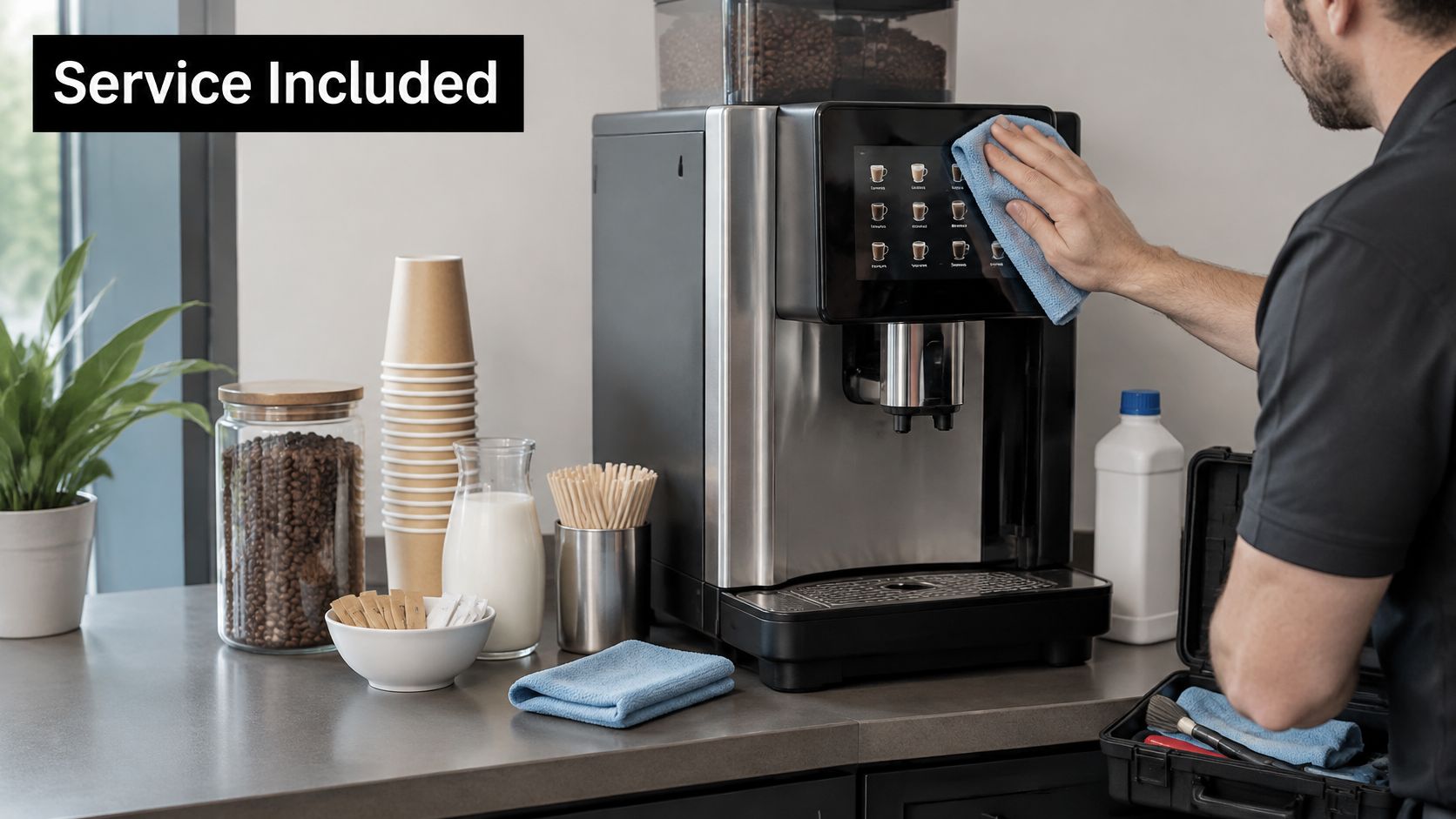
Think of it as an engine plus the service crew. The machine is the engine. Beans, cups, milk, sugar, restocking, cleaning, descaling, and repairs are the crew work that keeps it useful. Buy the engine without planning the crew and the work lands on your staff.
Coffee vending spread in the late 1940s because workplaces wanted drinks without employees leaving the premises, a pattern described in a scholarly historical review of automated food vending. That original reason hasn't changed. What has changed is payment, monitoring, and menu range.
Say you manage a clinic with early, day, and evening shifts. Your problem isn't whether staff like coffee. It's whether the machine is stocked at each shift change, whether cleaning happens without pulling a receptionist off the desk, and whether a breakdown on Friday waits until Tuesday. A managed program should answer those operational questions in writing.
A Six-Step Decision Sequence
Count demand by shift: Record daily cups and peak hours for at least a representative week, including your busiest day type.
Choose the machine type: Use cup count, drink variety, and throughput at peak to pick bean-to-cup, pod, or brewer system.
Confirm water and energy setup: Require a water test, matched filtration, verified brew temperature, and sleep settings fitted to occupancy.
Decide managed or owned: Compare a fully managed program with owning the machine, including who carries repair risk.
Agree service terms in writing: Set restocking frequency, cleaning duties, and breakdown response times before installation, not after the first failure.
Review monthly: Track cost per cup, cups per employee, stockouts, waste, and feedback, then adjust menu and service intervals.
That sequence prevents the most common mistake, which is signing for equipment first and discovering service limits later. If you're building a shortlist of coffee vendors for offices and other workplaces, run every candidate through the same six steps so quotes are comparable.
Questions to Ask Every Provider Once
Ask who restocks, who services, and who fixes a breakdown. Ask whether the service includes stocking and cleaning, whether the menu can be customized, whether machines accept tap-to-pay and report remote data, and whether your site can own the machine.
With Vendmoore Enterprises, we offer full-service vending where we handle stocking, service, and support, and we offer fully stocked vending while customers can also choose to own their own machine. Our machines feature tap-to-pay and remote monitoring. Test those answers against the same questions you'd ask any Oklahoma provider, including menu fit for your space and evidence that restocking matches your shifts.
Before you sign: Request a site assessment that includes cup counts by shift, peak-hour throughput, water test details, power and water access, and written service response times.
Ownership can suit a site with staff who have time to order supplies, clean components, track expiry, and arrange repairs. Managed service usually suits sites where facilities time is scarce or spread across locations. Neither answer is automatically cheaper. Divide total monthly cost by cups consumed under each model, and include your own labor in the owned option.
Menus need the same honesty. A long menu that nobody orders creates stale stock and cleaning burden. A short menu people love, with iced and dairy-free choices where demand exists, produces a lower cost per consumed cup. Remote monitoring helps here because usage data shows which drinks move, which ingredients run low first, and when a visit is needed.
Your next step is a site assessment, not a signature. Bring your cup counts, shift pattern, water details, and the location where the machine would sit. A provider who sizes equipment from those facts, and commits to restocking and repair terms in writing, is giving you a service you can measure month after month.
If you're considering a managed coffee program or machine ownership for an Oklahoma workplace, school, clinic, factory, or shared community space, we can assess your cup counts, peak hours, and site needs and match stocking, service, tap-to-pay, and remote monitoring to how your building runs. Visit Vendmoore Enterprises to request a site assessment and compare options by cost per cup and staff time returned.
Comments