_edited.png)
Vendor Maintenance Form: Fields, Steps and Templates

Your break room machine stops taking cards on Monday morning. Someone swears it was fixed last week, someone else says that visit was only a restock, and the paper slip in the cabinet door just says "serviced." You can't tell who attended, what failed, or whether anyone tested a payment before leaving.
That's the job of a good Vendor Maintenance Form. It isn't a sign-off sheet. It's an operational record that keeps a restock, a payment fault, and a refrigeration failure from being logged as the same vague event.
Vendor Maintenance Form Fields at a Glance
A working Vendor Maintenance Form for vending machines needs about twelve fields, grouped into identity, visit, findings, parts, and close-out. The scale of the discipline behind it is large. The U.S. National Institute of Standards and Technology machinery maintenance data estimated machinery-maintenance expenditures for U.S. discrete manufacturers at $57.3 billion in 2016, and found maintenance was 45.7% reactive across surveyed establishments. A vending route is smaller, but the lesson holds. If planned work and emergencies share one box, you'll never know which machines are failing.
Required Fields Entry Rules and Vending Examples
Field | What to Enter | Vending Example |
|---|---|---|
Asset ID | Stable machine number matched to a QR or barcode label | VM-014, scanned from inside cabinet door |
Location | Building, floor and exact placement | Second floor break room, near the copier |
Visit type | Dropdown, stock, inspection, repair, relocation, emergency | Repair |
Requester and technician | Who reported the issue and who attended | Site contact and service technician |
Opening and finish time | Date plus 24-hour start and finish times | 14 Mar, opened 08:40, finished 09:15 |
Failure mode | Coded category from a dropdown | Payment reader not responding |
Findings | Free-text symptom and root cause | Card reader rebooted, firmware two versions old |
Before and after readings | Cabinet temperature, telemetry status, stock-out count | 41°F before, 37°F after, telemetry online |
Parts and cost | Part number, quantity and cost | Coin mechanism, one unit, cost entered |
Downtime | Hours the machine was out of service | 26 hours from report to verified restart |
Follow-up | Open action and its owner | Recheck temperature in 7 days, route lead owns it |
Signatures | Technician and site approver, with dates | Printed name, initials and date |
Most of these fields get skipped when they're free text with no prompt. Good entry design helps, and reducing errors in form submissions covers practical ways to validate entries at the point of typing rather than during a later audit. Tie your field list to your vendor management service level agreement so response and closure expectations match what the form records.
A field left blank is a field nobody can report on later.
How to Build the Form in Six Steps
A machine can be stocked, have a payment fault, or lose refrigeration. Those visits need different records, even when the same technician handles them. Give every machine a fixed identity first, then build the form so each entry captures the work done. The NIST maintenance work-order analysis identifies asset and work-order numbers, problem description, requester, technician, opening time, and cost as core fields. It also points to actual start and finish times for calculating maintenance duration.
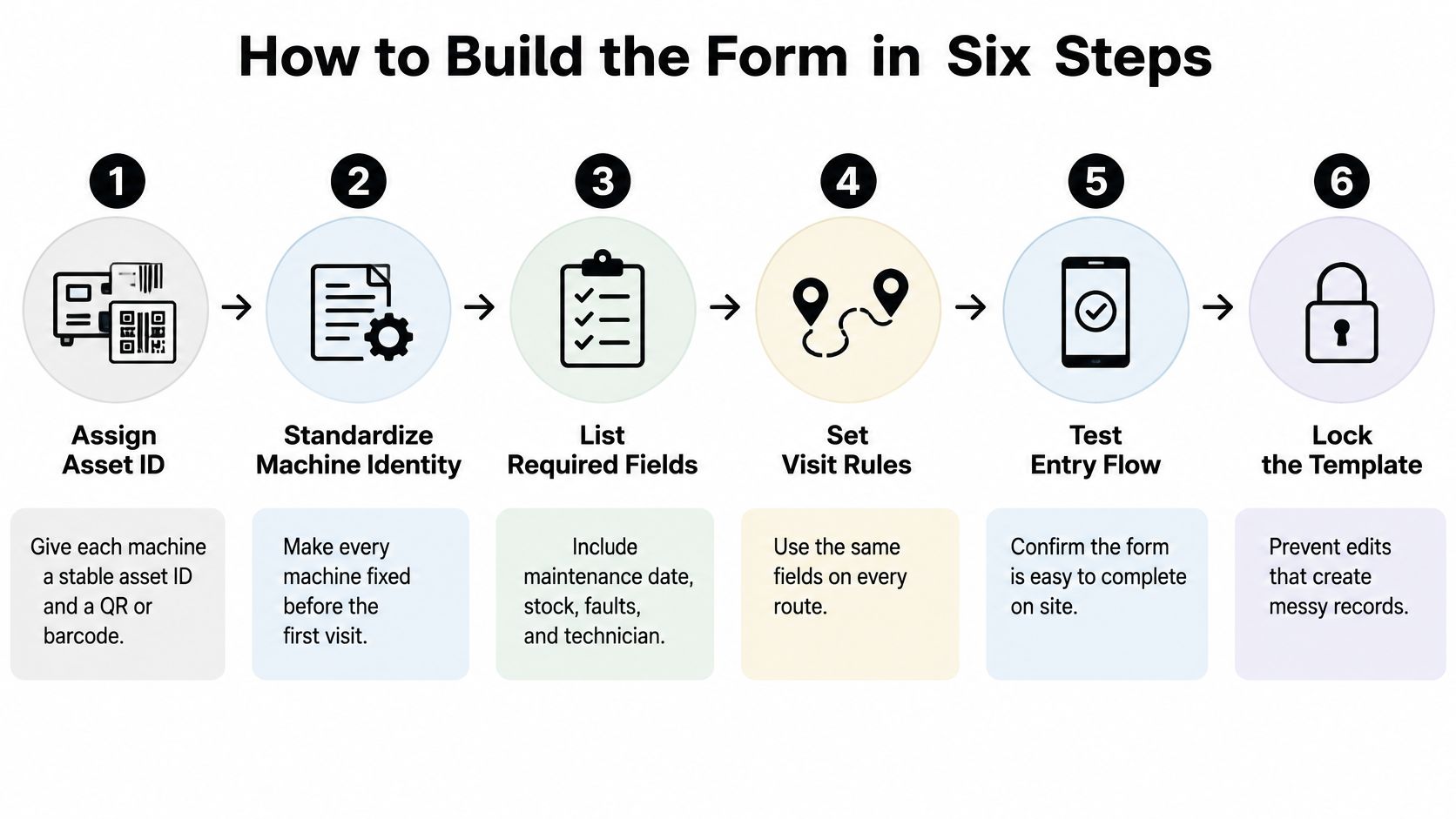
Six Steps That Prevent Messy Records
Assign a stable asset ID. Give each machine a permanent number and place a QR or barcode label inside the cabinet door. Keep the ID when the machine moves, so its maintenance history stays connected to the asset.
Prefill fixed details. Load the site, model, install date, and service-contract terms before a visit. The technician can confirm these details instead of retyping them, reducing spelling and naming errors.
Pair a code with free text. Require a dropdown for the visit type and failure mode, then provide a findings field for symptoms and cause. Codes support comparisons across records; free text explains what happened. For a restock, record the visit as a restock. For a payment fault, log the specific failure rather than classifying it as routine service.
Record readings that match the job. Capture relevant conditions on arrival and departure. A refrigeration repair needs cabinet temperature readings; a payment fault needs reader status and a test result. A restock visit should record inventory or stock-outs, not be forced into a repair template. Matched before-and-after entries show whether the work changed the condition.
Log parts, labor, and a photo when relevant. Record each part, its quantity and cost, labor time, and a photo of the fault or replacement when it helps explain the work. These details make repair records more useful than a general note that the machine was serviced.
Require verification before closure. Keep the work order open until the cause, work performed, and an appropriate check are recorded. A payment fault needs a successful test transaction. Cold equipment needs a temperature reading showing the cabinet is back in range. A completed restock needs confirmation of the stock added.
Where the Build Usually Breaks
The form breaks down when every visit is logged as a repair. That inflates repair counts and obscures genuine faults. Make visit type the first required field, before findings appear, so technicians classify a restock, repair, or other service accurately.
Set one timestamp format across paper and digital forms: one date format and 24-hour times. Mixed formats make duration calculations unreliable and create cleanup work. Keep the fields suited to the task, too. Requiring repair readings on a simple restock visit adds friction and encourages skipped fields.
For operators running break room vending routes across offices, teacher lounges, and apartment community areas in Oklahoma, consistent records make it possible to compare a snack machine at one site with a chill center at another without guessing what each entry means.
Service Frequency and Sign-Off Rules
Most sites need a weekly restock visit, a monthly payment and telemetry check for connected units, and a quarterly deep service for cold equipment. Frequency follows risk. Ambient snacks forgive a missed week. Frozen food and payment hardware don't.
Service Frequency and Sign-Off by Machine Type
Machine Type | Routine Check | Deep Service | Sign-Off |
|---|---|---|---|
Refreshment center (snacks and drinks) | Weekly restock, date-code check, cabinet wipe-down | Quarterly door seal and coin path test | Site contact on each visit |
Bottle and can vendor | Weekly stock and coin path check | Quarterly bill validator and drive-belt check | Site contact on each visit |
Dual-zone chill center | Two checks per week with both zone temperatures logged | Monthly compressor, condenser and gasket check | Technician for repairs, site contact for checks |
Frozen food machine | Daily temperature log at opening | Monthly defrost and compressor check | Technician and site approver |
Connected payment unit | Monthly telemetry and tap-to-pay test | Semiannual firmware review, authorized changes only | Technician plus facilities or IT approver |
Refreshment centers and bottle and can vendors run on a simple rhythm, weekly attention and a quarterly mechanical once-over. Dual-zone chill centers need both zone temperatures written down separately, because one warm zone hides behind a healthy average. Frozen food machines get the strictest routine, a daily temperature log, because a silent overnight failure becomes a food safety problem by morning.
Connected payment units sit in a different category. Current federal maintenance control guidance says organizations should schedule, document, and review maintenance, approve and monitor both onsite and remote work, and explicitly authorize equipment removed for offsite repair. That's why firmware changes, network settings, and remote access need their own approval line, separate from a routine restock signature. Your preventive maintenance scheduling should reflect that split, so a stocking visit never becomes an unapproved configuration change.
The sign-off rule is simple. The site contact signs every restock, a technician signs every repair and any refrigeration work, and a facilities or IT approver signs anything touching payment hardware, network settings, or firmware.
Rule of thumb: the person who approves a job shouldn't be the only person who verified it.
Inventory and Service Logs Between Visits
The log is the running record between visits, one line per event, holding stock, faults, and timestamps, never bank or personal data. It's the first place you look when a site says a machine sat empty for a week.
This photo shows the habit that makes the log work, recording the visit at the machine instead of from memory later.
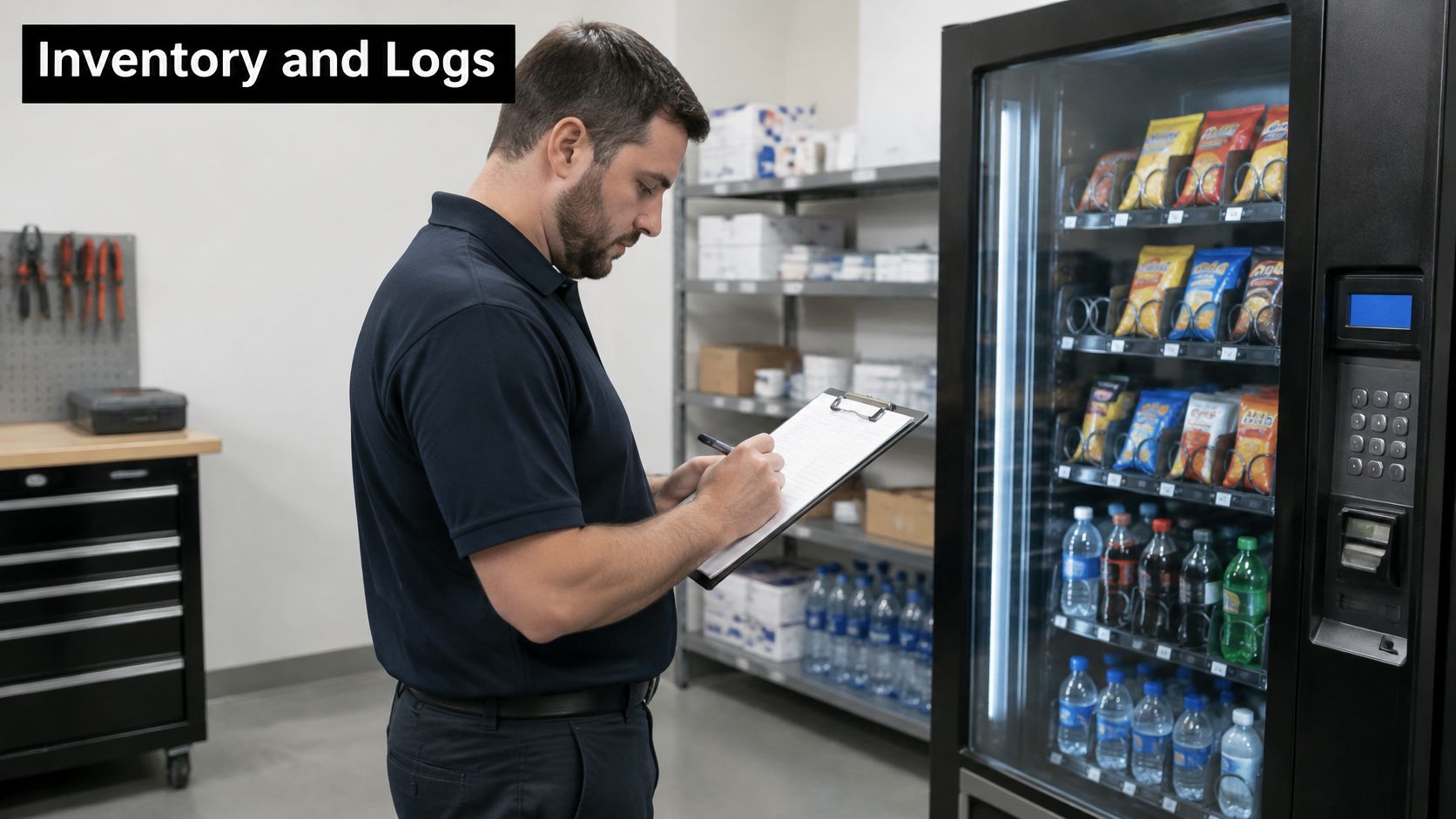
Log stock by row at each restock, expiry-date checks, cash and prize-draw counts when the operator handles them, and every fault report with the time it was received. One good line looks like this.
14 Mar, 08:40, VM-014, restocked 3 rows, cabinet 37°F, no faults, initials J.R.
Short lines win. A technician balancing a case of drinks won't write an essay, and a log that demands one gets filled in at the end of the route, badly. This short walkthrough shows a typical on-site inspection flow.
Keep and Remove Rules
Append, don't overwrite: revisions go in as new lines so the original entry stays visible.
Split access by role: technicians see machine and site data, finance sees payment totals.
Link every visit: each line ties to one asset ID and one contract.
Set retention in the contract: keep records for the period your agreement and local rules require.
A generic Vendor Maintenance Form template concentrates on submission details, so add your own handoff clause. At termination, the vendor should export the full history in a usable format with attachments and asset IDs intact, including unresolved defects and warranty status. That export is also what helps you resolve inventory discrepancies without reconstructing months of visits from texts.
Keep card numbers, bank details, and personal contact data for building staff out of the operational log entirely. If it isn't needed to run the machine, it doesn't belong on a route record.
Metrics and Audits That Prove the Form Works
The form is working when preventive compliance is at least 90%, emergency work stays below 10% of work orders, and required fields are almost always filled in. Signatures alone prove nothing.
Maintenance reporting guidance collected by eWorkOrders on preventive maintenance software sets preventive-maintenance compliance as scheduled PM tasks completed on time divided by scheduled PM tasks, multiplied by 100, with a commonly cited target of at least 90% and emergency work below 10% of work orders. The same guidance warns that records lacking findings, replaced components, or measurements can't support reliable repair-time, failure-mode, or cost-per-asset analysis.
Form Performance Metrics Formulas and Targets
Metric | Formula | Target |
|---|---|---|
Preventive maintenance compliance | Scheduled PM tasks done on time ÷ scheduled PM tasks × 100 | At least 90% |
Emergency share | Emergency work orders ÷ all work orders × 100 | Below 10% |
Mean time between failures (MTBF) | Operating hours ÷ unplanned failures | Rising over time |
Mean time to repair (MTTR) | Corrective labor hours ÷ corrective repairs | Falling over time |
Missing-field rate | Closed forms with a blank required field ÷ closed forms × 100 | Below 2% |
Review the data on two rhythms. Weekly, check overdue inspections, repeat failure codes, parts use, and open follow-ups by location. Monthly, run a Pareto analysis to find the few machines or failure modes generating most calls, and audit a sample of closed forms for completeness. These numbers belong beside your wider operational efficiency metrics, not in a separate spreadsheet nobody opens.
Watch for the generic closure note. A form closed with the word "completed" and nothing else can't feed MTBF, MTTR, or cost per machine, and it teaches technicians that detail is optional. Controlled dropdowns for asset, visit type, failure mode, and disposition fix most of this, as long as you keep narrative fields for symptoms and root cause.
The main pitfall is subtler. An improving dashboard can reflect weaker documentation rather than better machines. Trend the missing-field rate beside PM compliance every month. If compliance rises while blanks rise too, your paperwork got worse, not your equipment better.
Pilot the Form on One Route Before Rolling It Out
A route with mixed machine types exposes different logging needs. Pilot the form on one route of three to five machines for four weeks before expanding it. A restock visit needs an inventory record; a payment fault needs the error and resolution; a refrigeration failure needs symptoms and equipment status. Treat the form as an operational record, not just a sign-off sheet.
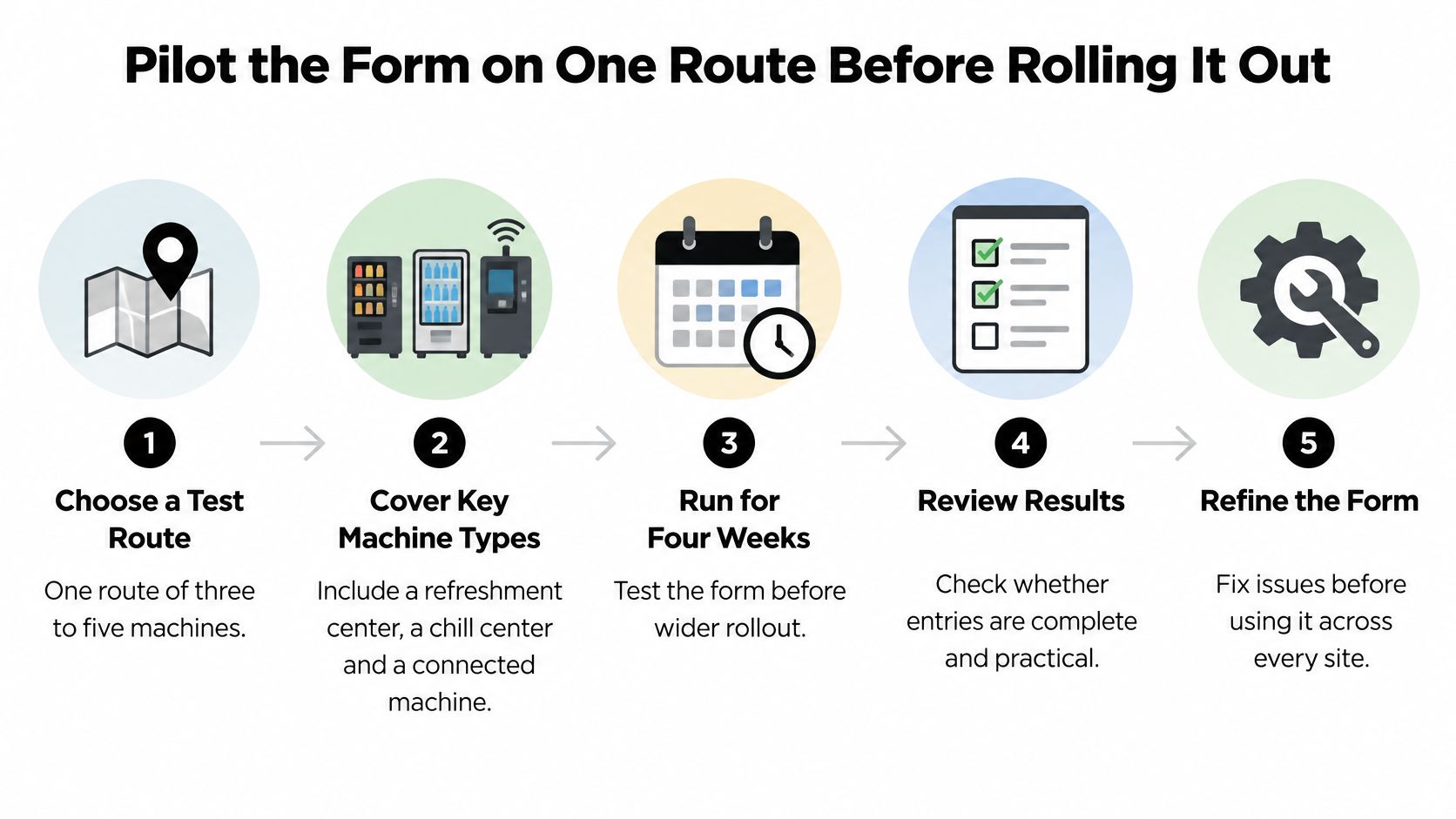
Pick mixed machines. Include a refreshment center, a chill center, and a connected payment unit to test varied visit types.
Load asset IDs first. Record each visit type at least once during the pilot.
Track two numbers weekly. Review the missing-field rate and time to close each work order.
Revise at week four. Remove unused fields and add any missing information technicians need to record.
Set sign-offs before rollout. Confirm who signs each visit, then use pilot downtime records to identify ways to reduce machine downtime, starting with the weakest performer.
If an outside operator handles stocking and service, ask it to complete your form as part of the visit. Vendmoore offers full-service vending, handling stocking, service, and support. Call 405-294-2373 to discuss whether its service can fit your fields and sign-off rules.
Vendmoore provides break room vending for office breakrooms, teacher lounges, and apartment community areas. Visit Vendmoore Enterprises to describe your space and ask how its service records can match your existing fields and sign-off rules.
Comments