
How Does Telemetry Work? a Vending Operator's Guide

You walk into the break room, and the drink you wanted is sold out again. The vending machine still accepts payments, the lights are on, and nobody knows whether the operator has noticed the empty selection. If you manage the building, you're probably wondering why someone has to report a problem that the machine should be able to report itself.
That's the practical reason to ask, how does telemetry work? For break-room vending, telemetry connects what happens inside a machine with the people responsible for stocking and servicing it. But a connected machine isn't automatically a well-managed machine. The useful question is whether its reports lead to the right action, including when the internet connection fails.
How Telemetry Works in Five Stages
Telemetry measures a remote machine, converts the readings into digital data, sends them over a network, stores and processes them, and presents alerts or trends. IBM's explanation of telemetry describes this connected process of measurement, communication, and analysis.
Consider a vending machine in an Oklahoma office break room. Someone buys a snack, and the machine produces a record of that event without waiting for a route driver to visit. A sensor, a component that detects a physical condition or event, supplies the starting evidence.
Telemetry stages with a vending machine example
Stage | What Happens | Vending Machine Example |
|---|---|---|
1. Sensing | A sensor measures a condition or event | A coil sensor detects a snack dropping from its spiral |
2. Conversion | A controller turns the reading into digital data | The controller adds a timestamp and machine ID |
3. Transmission | A network link moves the data | Cellular or Wi-Fi sends the packet to the cloud |
4. Storage and processing | A central system keeps and analyzes records | Repeated sales records show which rows sell fastest |
5. Presentation | Software shows alerts or trends | The dashboard flags Row B3 as empty for restock |
The flow below shows how a physical event becomes information someone can use.
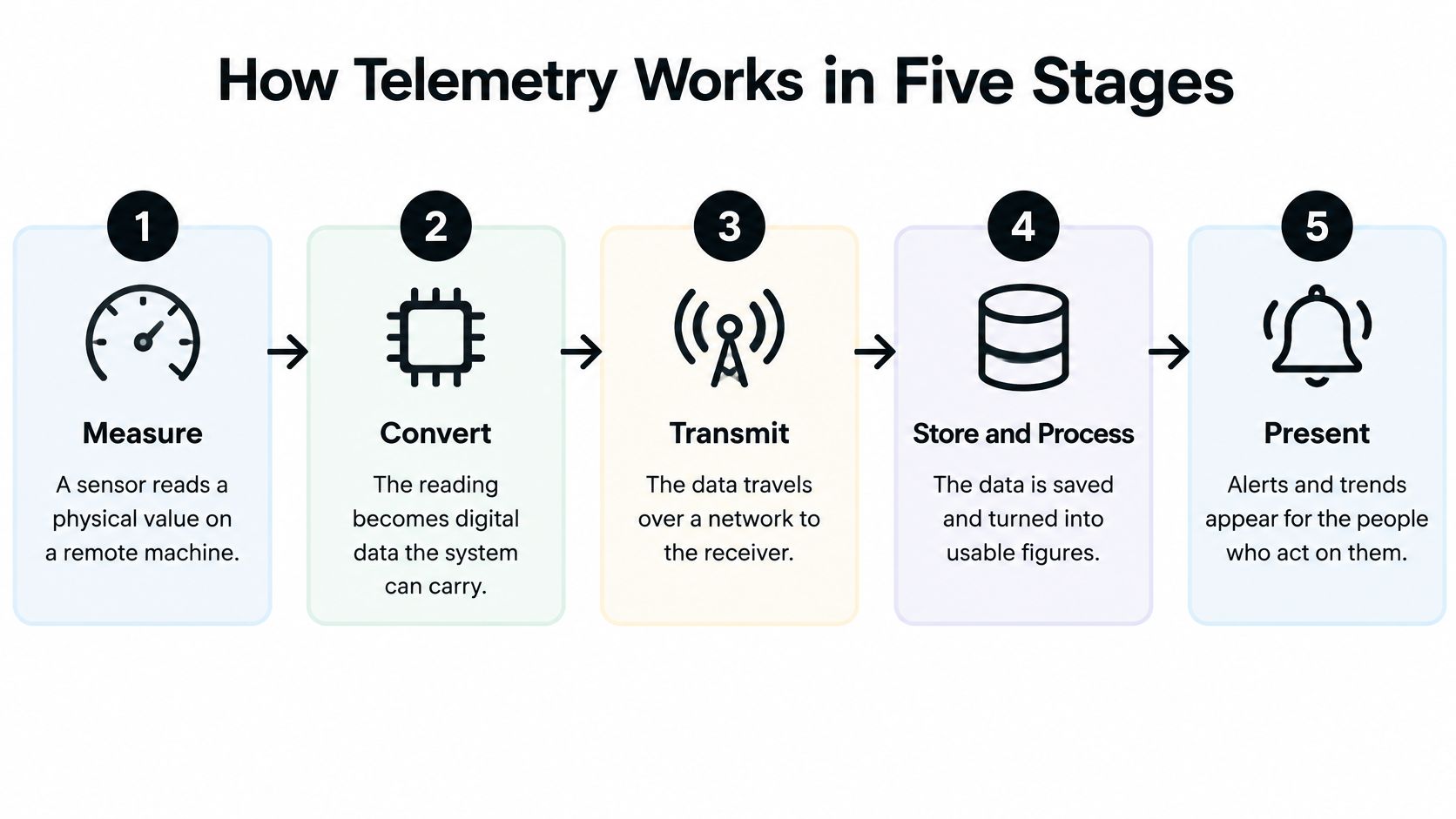
What moves between the stages
The machine doesn't send a snack or an electrical pulse across the internet. Its controller, the small computer inside the equipment, converts the signal into a digital record. A packet is a packaged unit of data that travels through the network, while the cloud means remote computing systems that receive and process it.
The network connection deserves as much attention as the sensor. A machine might measure correctly but fail to communicate from a poorly covered installation spot. This guide to IoT device connectivity provides useful context for connecting physical equipment to online systems.
Timing changes the usefulness
Telemetry can transmit continuously, at scheduled intervals, or when an event or threshold, a predefined limit, triggers a message. A sale can generate an event; a low-stock limit can trigger a replenishment warning. Constant transmission isn't necessary for every measurement.
A route driver checking machines on a fixed schedule sees conditions during each visit. Telemetry reports between visits, giving the operator a chance to prepare the right stock or investigate a fault before arriving. The same remote-monitoring principle extends beyond vending, as DUCHENG Industrial discusses in its resource on cutting downtime across drive fleets.
Practical rule: Telemetry supplies structured evidence. People or software still decide what to do with it.
Even an empty-slot flag needs context. The system must know the starting stock and account for replenishment correctly before its calculated inventory deserves trust.
Key Terms Behind Every Telemetry System
Technical vocabulary becomes easier when every term has a job inside the same vending setup. These definitions are arranged alphabetically so you can find an unfamiliar word quickly.
Broker: The server, a computer providing a shared service, that receives the machine's messages and routes them to dashboards, alerts, and replenishment tools.
Controller: The embedded computer inside the vending machine that turns readings into records with a timestamp and machine identifier.
Edge gateway: The on-site device that checks readings and temporarily stores them when the network connection drops.
MQTT: A lightweight machine-to-machine messaging protocol, meaning an agreed set of communication rules, that lets a machine publish messages for other applications to receive.
Quality of service (QoS): The message-delivery guarantee selected for a particular reading, such as a routine temperature sample or a fault alarm.
Sensor: A device that measures a condition or event, such as a coil switch detecting a snack dropping.
Sequence number: A counter attached to messages that helps receiving software recognize missing or repeated records.
Telemetry dashboard: The screen where staff see machine conditions, alerts, and trends rather than individual electrical signals.
Topic: A named message channel, such as , that applications follow to receive relevant updates.
Equipment roles can overlap
These names describe responsibilities, not necessarily separate boxes. A vending controller and gateway may share hardware, while the broker runs remotely.
For a facilities manager, the important distinction is where each responsibility happens. Knowing which component stores readings, sends alerts, or requires connectivity makes a provider's explanation much easier to evaluate.
Following One Sale From Machine to Dashboard
An employee selects a bottle of water from our example break-room machine. After the bottle drops, the machine detects the stock change and prepares an event record.
The customer sees a simple purchase, while the connected equipment starts a separate reporting process.
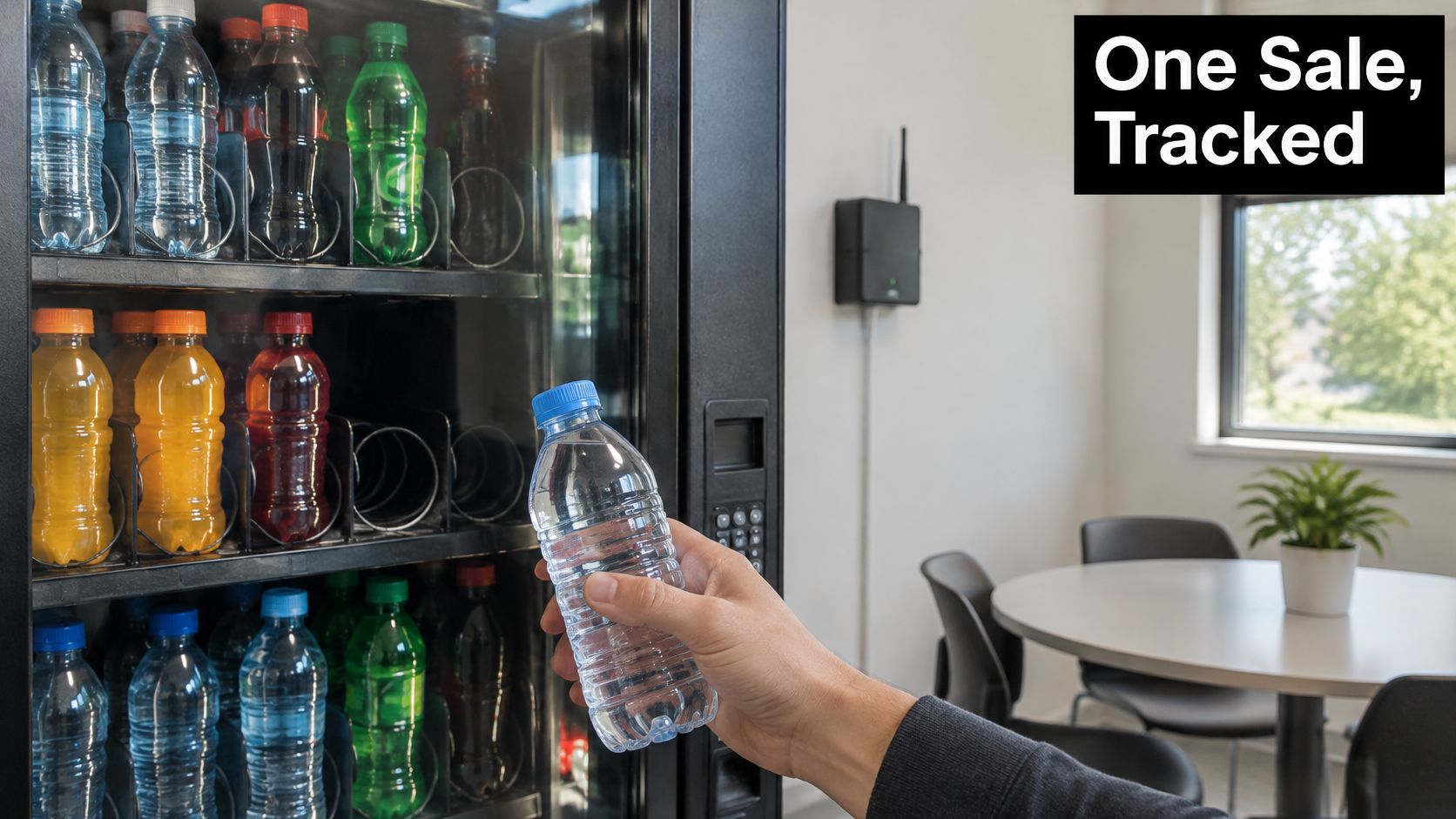
The gateway checks that the reading is usable and attaches the event time. It then publishes the message to . The OASIS MQTT specification defines the publish-and-subscribe communication model that makes this routing possible.
Publish means sending a message to a topic; subscribe means registering to receive messages from that topic. The broker distributes the update to interested applications, so the machine doesn't need separate connections to the dashboard, alert system, and restocking tool.
What the sale message carries
The payload, meaning the useful contents of the message, should identify both the event and its context:
Device identifier and location: Which machine reported the sale and where it's installed.
Event timestamp: When the purchase happened, not when the cloud received it.
Metric and value: What changed and the recorded amount or state.
Firmware version: Which version of the machine's built-in software produced the message.
Sequence number: Where this event belongs in the device's message stream.
The receiving application can use that sequence to spot a gap or recognize a repeated event. For payment-related context, a smart vending point-of-sale guide helps distinguish the purchase interface from the equipment-reporting process.
The embedded video offers another way to approach the topic.
When the connection disappears
Suppose Wi-Fi drops just after the purchase. The gateway should buffer, or temporarily store, the record and forward it after connectivity returns. Retry and backoff, progressively spacing out repeated connection attempts, help avoid constant unsuccessful transmissions.
Not every reading needs the same schedule. A door opening or motor fault can trigger an immediate message, while cabinet temperature can be sampled periodically to reduce network traffic and modem power use.
Sensor choice also follows the equipment. A bottle vendor detects dispensing differently from a beverage dispenser measuring liquid flow; Premier Broadband's wired flowmeter for beverage equipment illustrates that distinction.
Try this: List the five readings your site needs most. Mark which should trigger an immediate message and which can wait for a scheduled update.
Choosing Delivery Guarantees for Each Message Type
Think of message delivery as a choice between an untracked postcard, certified mail resent until acknowledged, and a multi-step handshake. These analogies describe MQTT's delivery options, but the right choice depends on what happens if a message disappears.
The Apache Artemis MQTT documentation explains QoS 0, at-most-once delivery; QoS 1, acknowledged delivery that can produce duplicates; and QoS 2, an exactly-once protocol exchange. More assurance requires more communication work, so the strongest setting isn't automatically the best setting for everything.
MQTT delivery levels and vending machine use
Level | Delivery Behavior | Best Vending Use | Main Trade-off |
|---|---|---|---|
QoS 0 | At most once, no acknowledgment | Cabinet temperature samples | A lost sample goes unnoticed |
QoS 1 | Retried until acknowledged | Inventory decrements and fault alarms | Duplicates must be filtered out |
QoS 2 | Exactly once through a multi-step exchange | Sales records that must not be double counted | Higher overhead and bandwidth use |
A replaceable temperature sample may tolerate occasional loss because another reading will follow. A missing inventory decrement, meaning a reduction in recorded stock after a sale, can leave the dashboard showing an item that's no longer available.
Stop repeated messages becoming repeated sales
Acknowledged delivery creates a practical complication. If the receiver gets a message but its acknowledgment doesn't reach the sender, the sender may transmit the message again.
The receiving application should therefore be idempotent, meaning processing the same event again doesn't apply the stock change again. It checks an event identifier or device sequence number before updating inventory. This is an important safeguard when investigating inventory discrepancies.
QoS 2 protects delivery within its protocol exchange, not every later database operation. Application-level checks still matter when software imports, replays, or combines records.
Reliable delivery isn't the same as a correct stock balance. The receiving software must also apply each event correctly.
A retained message serves a different purpose: the broker keeps the latest retained state so a newly connected dashboard can display it immediately. That's useful for current machine status, but it isn't a replacement for the full event history.
Protect the connection separately
MQTT alone isn't a complete security system. TLS, the encryption used to protect data in transit, should accompany device-specific credentials and topic-level permissions.
Those permissions should let each machine publish only where it belongs. Certificate rotation, replacing digital identity credentials before they expire or become unsafe, also needs an owner. Include connection-health monitoring, alert deduplication, and limits on offline storage in the operating plan rather than treating them as optional extras.
Turning Machine Data Into Restock and Service Decisions
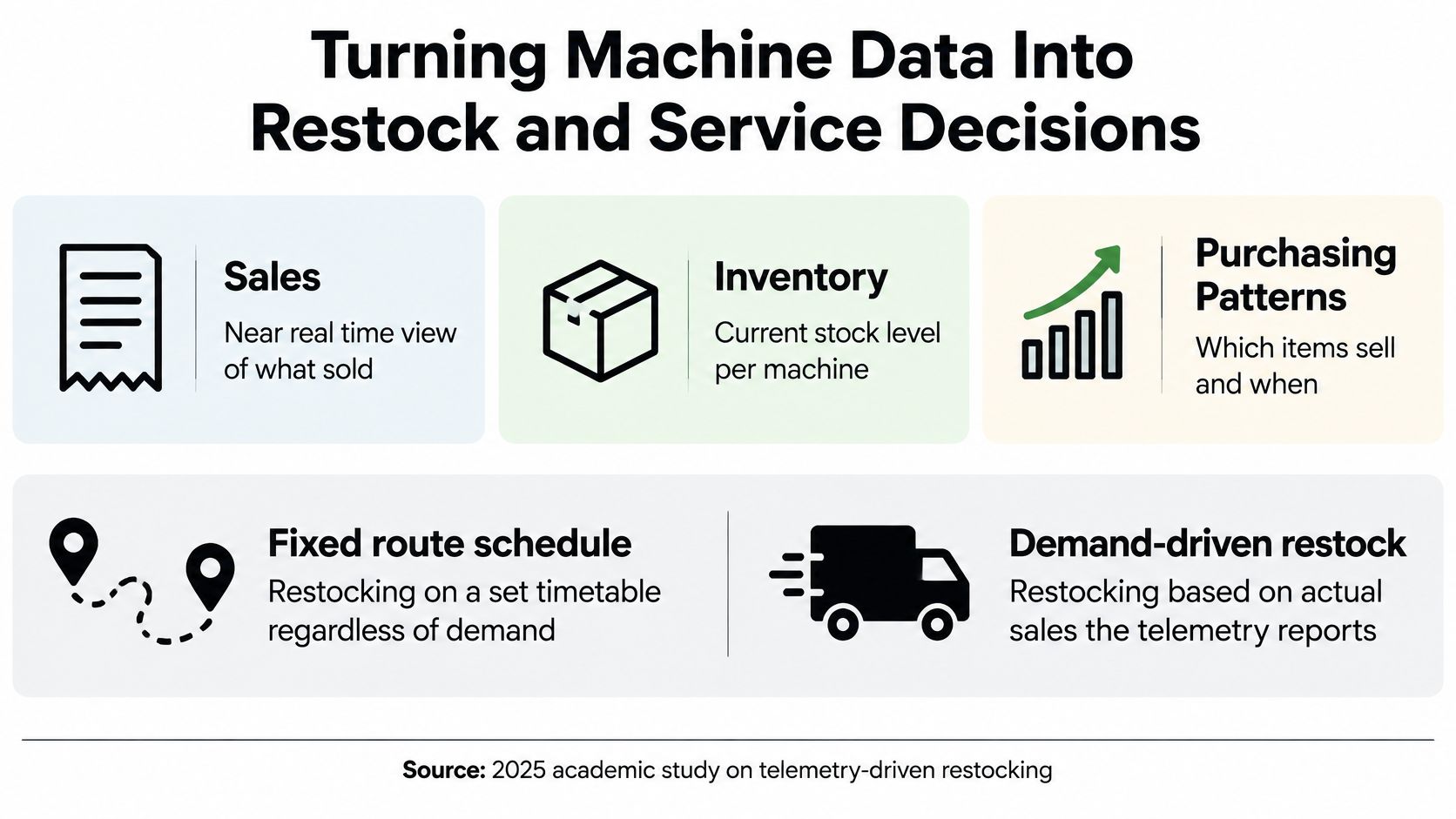
A fixed route answers, “When are we scheduled to visit?” Demand-driven restocking answers, “What does this machine need before the next visit?” Telemetry gives a vending operator the evidence to make that second approach practical.
A 2025 academic study describing vending-machine telemetry identifies remote performance monitoring, real-time sales visibility, restocking alerts, inventory optimization, and improved operational efficiency as core functions. For a facilities manager, the useful result is a service plan that reflects actual purchasing behavior rather than assumptions about the building.
The relationship between sales visibility and replenishment is shown below.
Match each signal to an action
An operator needs more than a colorful screen. Each useful signal should connect to a decision, a responsible person, and an action.
Telemetry signals and the operator decisions they support
Signal | What It Indicates | Operator Action |
|---|---|---|
Sales by product | Which items sell fastest at this site | Adjust assortment and par levels |
Inventory below threshold | The machine needs a restock | Create a replenishment task |
Repeated motor or payment faults | The machine is likely to fail | Schedule service before complaints arrive |
Temperature excursion | Cold items are at risk | Send a service alert for the cooling unit |
Slow-moving product | Demand is weak at this location | Swap the product on the next visit |
Par levels are the target quantities an operator aims to keep available. A temperature excursion means a reading outside the configured acceptable range. Neither setting should be arbitrary: the operator should select it for the products, equipment, and service arrangement.
Repeated faults warrant investigation, not certainty about an impending breakdown. Staff should examine the fault pattern before deciding which part or technician to send.
Adapt service to the location
Suppose a school machine consistently sells out of sports drinks by 2 p.m. In this hypothetical situation, the operator could add a mid-day restock, increase the space allocated to those drinks, or revise the delivery plan. The appropriate choice depends on access to the building and available machine capacity.
At a hospital, suppose a product barely moves while neighboring selections sell steadily. The operator can replace it on the next visit rather than repeatedly filling a selection that patients, visitors, or employees don't want.
A vendor-managed inventory system connects this demand information to the operator's replenishment responsibilities. At a larger supply-chain scale, Kagool's explanation of real-time visibility with SAP and Azure offers context for linking operational information with coordinated action.
The same records support product placement and assortment changes, not just refilling. Keep employee and customer feedback alongside sales records, because an item can sell poorly for reasons the machine can't explain.
Where Telemetry Falls Short and How to Choose a Setup
Real time doesn't necessarily mean every event reaches a cloud dashboard instantly. A useful setup can handle urgent conditions locally while routine records synchronize later. Buyers should test what that promise means instead of accepting connected or smart as a complete explanation.
Separate the timings before comparing vending services:
Collection frequency: How often the sensor takes a reading.
Transmission delay: How long the message takes to reach the receiving system.
Dashboard refresh time: How often the screen displays newly received information.
Alert-response time: How long it takes someone to act after an alert appears.
A fast sensor can feed a slow dashboard. A fast dashboard can still display an unresolved alarm if nobody owns the response.
These are different delays, even when a screen makes them look like a single live process.
Test what happens offline
An industrial edge-cloud telemetry study reported sub-50 ms 99th-percentile latency and 99.7% delivery reliability under intermittent 5G connectivity, illustrating the value of prioritizing work between local equipment and cloud systems. Those results describe that industrial framework, not a performance guarantee for break-room vending.
For a vending installation, use a clear design rule: handle a temperature excursion, payment failure, or machine outage on the machine or gateway where supported, while routine sales totals can wait for synchronization. Local handling means following a configured rule, such as recording a fault or restricting an affected function. It doesn't mean a gateway can repair a cooling unit.
During an outage, the setup may continue sensing, storing records, and applying local controls. Remote staff won't necessarily receive an alert until communication returns. Payment availability is a separate question and shouldn't be inferred from the presence of telemetry.
Ask for an outage demonstration. Disconnect the monitoring connection, generate a test event, and inspect both the local record and the eventual dashboard entry. Check the original event time, whether the screen identifies stale information, and what happens when storage fills.
Buyer's test: A credible real-time claim includes an explanation of what still works when the network doesn't.
Validate unusual readings before dispatching service
An anomaly is a departure from an expected pattern, not a diagnosis. An off-schedule restock, changed room conditions, sensor drift, or an actual fault can all produce unusual readings. Sensor drift means the measurement gradually becomes less accurate.
Work on telemetry anomaly detection highlights how partially observed human behavior can make signals less predictable. In practice, operators should compare related readings and maintenance records before treating every exception as equipment failure.
Otherwise, staff can accumulate false alarms, unnecessary visits, and alert fatigue, where repeated low-value warnings make important warnings easier to miss. A useful machine health monitoring discussion should explain how alerts are checked, assigned, and closed.
Privacy needs the same specificity. Equipment monitoring doesn't require identifying the purchaser, but purchase records or device identifiers may be linked to people in some systems. Confirm what is collected, why it's needed, and who can see it.
Use a buyer's checklist
At Vendmoore Enterprises, our machines feature tap-to-pay and remote monitoring. Apply the same evaluation standards to us as to any vending operator serving your Oklahoma workplace or public space:
Confirm reporting coverage: Verify that the proposed machine reports stock, faults, and temperature, not only sales.
Separate urgent and routine events: Ask which conditions alert immediately and which synchronize later.
Check outage preservation: Confirm that readings survive a connectivity drop and retain their original timestamps.
Validate service alerts: Establish how someone checks an alert before dispatching a technician.
Clarify privacy and access: Ask whether device identifiers connect to people, how long records remain available, and who can access them.
Write down the five readings your site needs: stock level, successful dispensing, cabinet temperature, payment faults, and machine availability are a useful starting set. Ask each provider to demonstrate how every reading reaches the dashboard and who acts on it.
Vendmoore Enterprises offers vending services for Oklahoma workplaces and public spaces, with tap-to-pay machines and remote monitoring. Visit Vendmoore Enterprises to discuss your break-room needs, bring your reporting checklist, and ask how the proposed setup will support stocking and service decisions at your location.
Comments