
Smart Vendor POS Explained: How Cashless Vending Works

Your break-room snack machine has the right products, but someone's standing in front of it with a phone and no cash. Meanwhile, you're wondering whether the machine needs restocking, whether the card reader works, and who handles a payment when the snack doesn't drop. A smart vendor POS connects those questions, but only if the payment hardware, inventory records, and service procedures work together.
What a Smart Vendor POS Is and Why Vending Operators Are Moving to It
A smart vendor POS is the connected payment and management system inside a vending machine that accepts contactless cards and digital wallets, logs sales, and reports stock and machine status over a network. POS means point of sale, the place where the customer completes a purchase.
Say an employee selects a snack, taps a phone, and collects the product. With a working connection and compatible reporting, the operator can see the sale on a dashboard within minutes rather than waiting for a route visit.
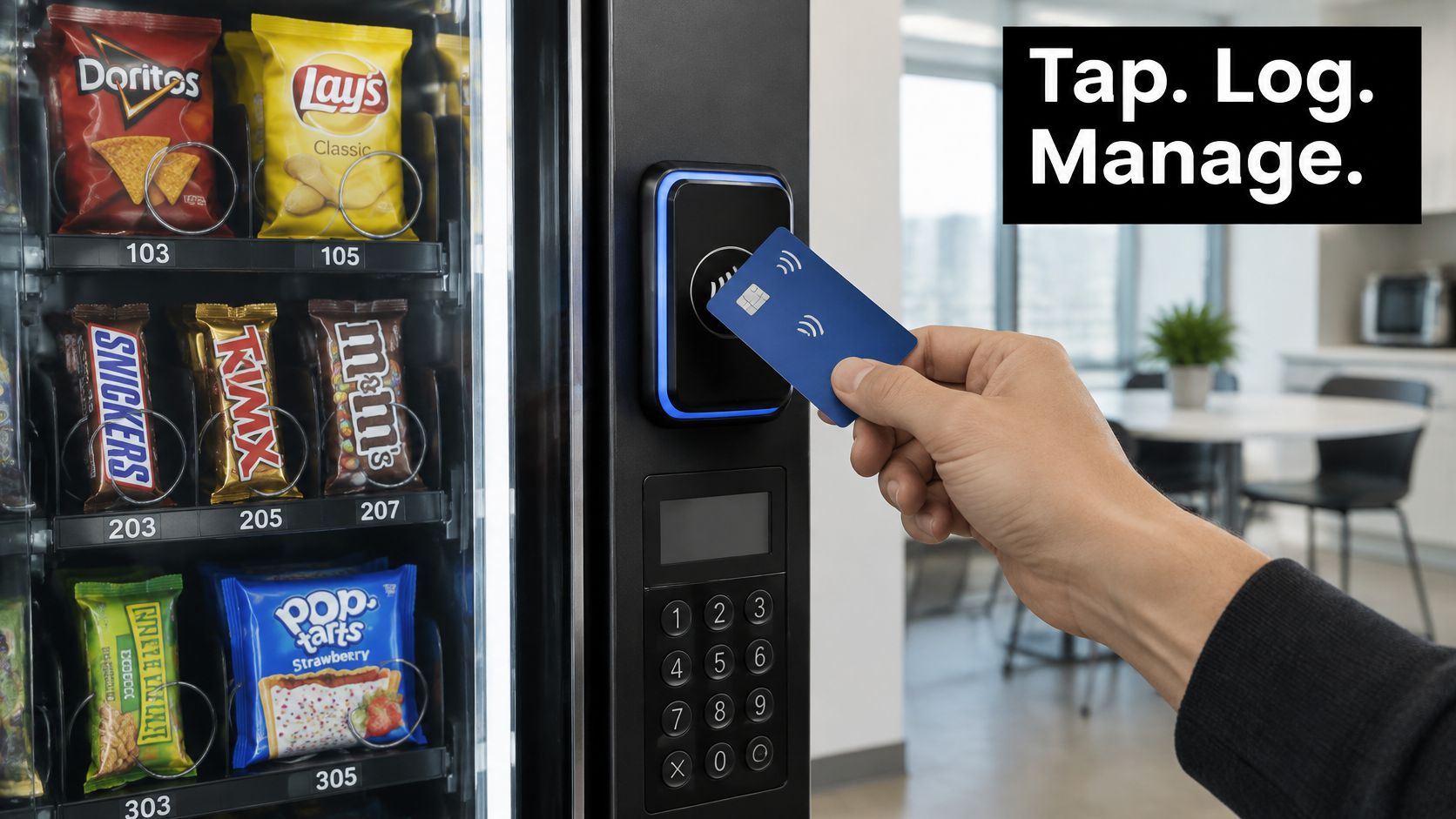
Think of a basic cash-only machine as a locked box that knows its coin count. A smart setup is closer to a connected checkout lane that also tells the back office what's running low, provided its inventory records match what was dispensed.
The Federal Reserve's 2024 Payments Study found that 19.7% of in-person general-purpose card payments were contactless in 2022, while 55.9% of mobile-wallet purchases occurred at in-person merchant terminals, up from 50% in 2018. Wallet use isn't confined to online shopping.
Why the connection matters
Offices, schools, hospitals, airports, and public venues need payment options that match what people carry. A cash-only machine can lose a willing buyer before product selection even begins.
For a broader checkout comparison, myhalo's guide to small business POS systems Singapore provides useful context for evaluating payment hardware and business software, though unattended vending also needs dispensing confirmation.
Practical rule: A reader that accepts a tap isn't a complete smart vending system. The operator also needs to know whether the product arrived.
The useful distinction is between payment acceptance, connected sale and stock records, and operating rules that keep both trustworthy.
How the Parts of a Smart Vendor POS Handle a Cashless Sale
Smart vendor POS components, what they record and what fails without them
Component | Job in the machine | Data it produces | Failure if missing |
|---|---|---|---|
Contactless reader | Accepts tap-to-pay cards and digital wallets | Authorization result for each tap | Wallet and contactless-card buyers cannot tap to pay |
Payment token service | Replaces the card number with a payment token | Token-linked payment record | Underlying card credentials have greater exposure |
Chip card reader | Reads chip cards that lack contactless | Chip transaction result | Cards without contactless are refused |
Cash acceptor | Accepts bills and coins | Cash sale and cash-box count | Cash-dependent users are excluded |
Vend controller | Releases the chosen slot and confirms the sale | Vend success or failure per slot | Payment may be taken without a product released |
Telemetry link | Sends sales and stock data over cellular or network | Current sales, stock, and status | Replenishment runs on guesswork |
Remote dashboard | Shows stock, alerts, and sales to the operator | Reports and alert history | Route visits are planned by hand |
These are cooperating parts, not necessarily separate boxes. Chip acceptance, cash handling, and product-drop sensing must be checked on the actual machine rather than assumed from the presence of a contactless reader.
Follow the purchase through the machine
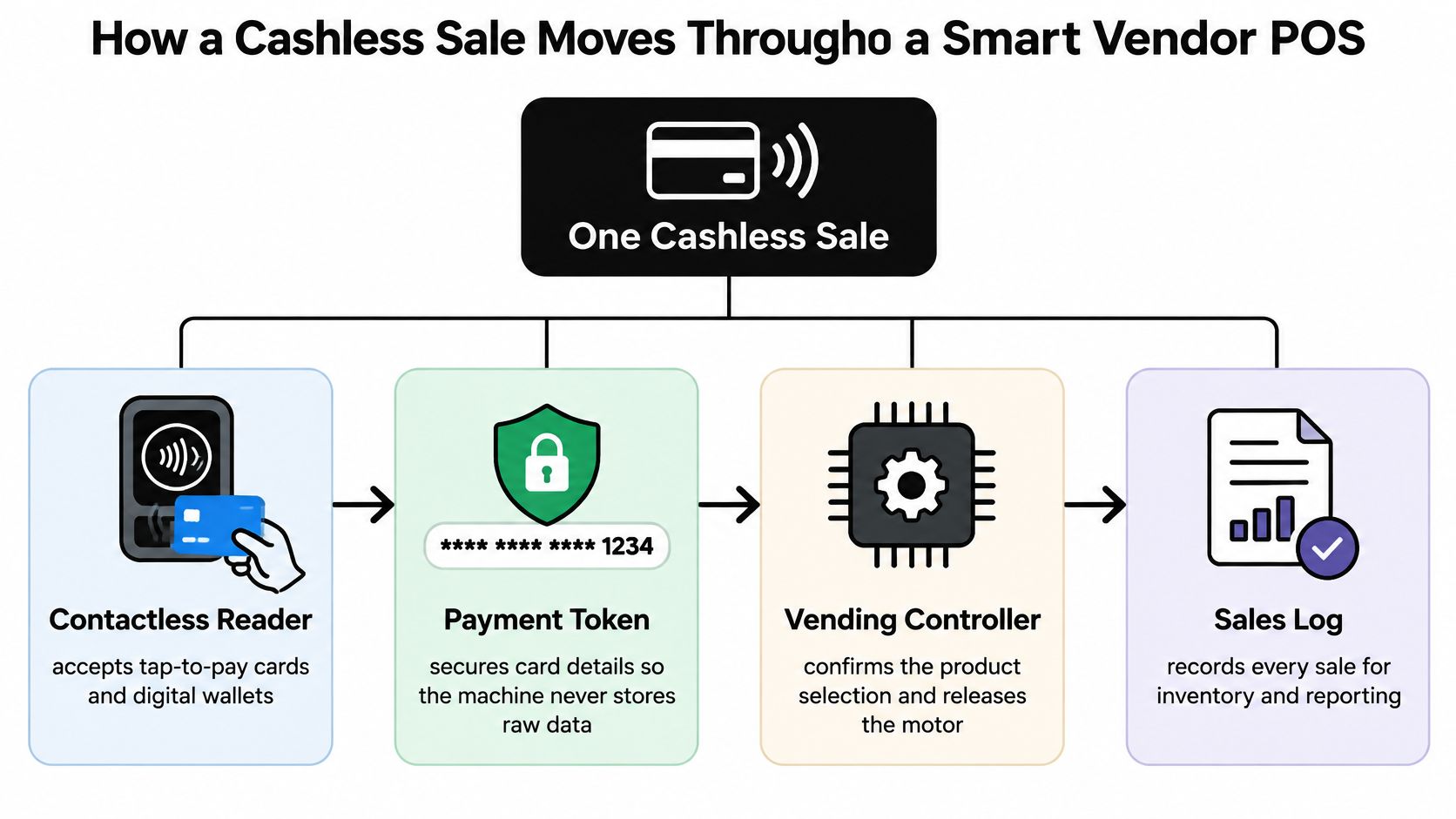
The shopper selects a product and sees the price. The selection connects the purchase to a slot. Displaying the final price before payment prevents confusion about what the shopper authorized.
The shopper taps a wallet or contactless card. The reader starts the payment exchange. Apple Pay and Google Wallet require compatible acceptance, not merely a screen displaying their logos.
The reader exchanges protected payment data over short-range communication. With mobile-wallet tokenization, the underlying card number is represented by a payment token, usually provisioned before the tap. The reader doesn't turn every physical card number into a wallet token.
The terminal requests authorization. The payment network returns an approval or decline. Approval means the payment can proceed under the applicable rules, not that a snack has already dropped.
The vend controller releases the selected slot. A compatible confirmation mechanism reports whether dispensing succeeded. Without that feedback, the operator may have a paid transaction but no reliable delivery record.
The system logs the result. The record should connect the payment outcome, slot, vend result, and time so support staff can investigate a complaint.
Telemetry uploads the record. The dashboard updates the expected stock count after a confirmed vend. During a connection failure, queued records need to upload without creating duplicate sales or stock deductions.
The illustration shows the relationship between payment, dispensing, and reporting.
Plan for the sale that fails
The Federal Reserve Bank of Boston's mobile-payments paper explains how tokenization substitutes a payment token for the underlying card number. Procurement checks should include EMV-compatible contactless processing, token-service compatibility, encrypted communications, and device key management.
A declined token should produce a clear message without activating the motor. Duplicate taps need controls that prevent duplicate charges. During an outage, offline authorization should operate only within the processor's configured permissions and limits, not as an assumed feature.
When authorization succeeds but dispensing fails, the system needs a documented reversal or refund path. Test how pending authorizations, completed charges, receipts, and refunds appear to both the shopper and support staff.
Use the cashless payment terminal guide to frame hardware questions, then require a live demonstration of the complete sale.
A healthy sale reconciles a payment record, a successful vend record, and the corresponding stock change. A green approval light alone doesn't establish that everything worked.
Telemetry, Stock Accuracy and Data Rules
Sales totals don't equal demand. If the granola-bar slot is empty, a customer might buy crackers instead or leave without buying anything. The operator could mistakenly reduce granola orders and expand crackers.
Retail vending research published through ACM explains how stockouts censor observed sales and how substitution can distort demand estimates. The operational response is to connect item-level vend attempts, successful and failed transactions, stockout timestamps, detectable substitutions, and replenishment events.
Telemetry metrics, what they reveal and the action they trigger
Metric | What it reveals | Action it triggers |
|---|---|---|
Fill rate | Share of slots stocked at each visit | Adjust route frequency |
Stockout duration | Hours a slot stayed empty | Raise the reorder point |
Failed vend attempts | Attempts or payments with no product released | Check the slot motor and reader |
Substitution rate | Detectable choices of another product when a slot is empty | Review the assortment |
Lost-vend signals | Payments recorded without a logged vend | Investigate the controller or network |
Replenishment events | Restocks logged by the operator | Compare against the planned route |
Turn records into route decisions
Use estimated demand during supplier lead time plus safety stock to set reorder points. Then adjust for daypart, shift pattern, season, and site type rather than copying the same settings across the route.
An office with predictable weekday traffic needs a different replenishment plan from a hospital serving overnight staff. A school calendar and an airport's departure peaks create different planning problems again.
Physical counts still matter. At restocking, reconcile the product loaded, slot assignment, damaged items, and remaining units against the dashboard; otherwise, an incorrect starting count survives every subsequent sale.
The telemetry data collection guide helps define the records to request. For connectivity planning, IT Cloud Global on network uptime offers context on redundancy, but buyers should still test signal strength at the machine's final position.
Set boundaries around the same data
ATM Marketplace's self-service compliance guidance highlights privacy and compliance concerns around personal identifiers, payment information, and sensitive data. A stock-planning system shouldn't become employee or patient tracking.
Collection: Document each field and its operational purpose.
Access: Separate route-driver, support, administrator, and vendor permissions.
Retention: Set deletion periods instead of keeping identifiable records indefinitely.
Incidents: Name who handles breaches, outages, and unreliable stock counts.
Automation: Require human review of AI assortment suggestions and a non-personalized purchasing path where sensitive identities could be involved.
If the operator can't explain the data flow in a clear diagram, the telemetry isn't ready to rely on.
Cashless Payments and Who Still Needs Cash
Cashless does not automatically mean inclusive. A shopper may lack a bank account, a smartphone, a supported wallet, or permission to use a phone at work. Every payment method the terminal accepts is a door into the machine, and each door you remove locks someone out.
Ken Research's vending market coverage cites roughly 71% cashless vending sales in a 2024 payment-network sample, with average purchases of $2.24 cashless versus $1.78 cash. Cashless clearly leads that sample, and cash buyers still represent real transactions an operator loses if the bill acceptor disappears.
Build a usable fallback
A fallback works like a second checkout lane in a grocery store: when one lane closes, shoppers still reach the register. Design each payment path to fail without taking the others down.
Payment methods, typical users, failure modes and fallbacks
Payment method | Who relies on it | Common failure | Fallback to build |
|---|---|---|---|
Apple Pay or Google Wallet | Employees and younger users with phones | Wallet not provisioned or device unavailable; some device or network conditions interrupt payment | Card tap or cash |
Contactless credit or debit card | Visitors and students with contactless cards | Card declined or limit reached | Chip insert when appropriate, or cash |
Chip card insert | Users whose cards lack contactless | Chip read fails | Cash |
Cash | People without bank accounts or smartphones | Bill acceptor jams or cash box is full | Scheduled cash-box service and clear signage |
A fallback must work independently of the failed method. Inserting a card won't necessarily resolve an issuer decline, and a wallet doesn't always require the shopper's phone to have an active internet connection. When a shopper reports a failed sale, troubleshooting should separate four different events: an unavailable device, a terminal connectivity failure, a card-read problem, and an issuer decision. Each has a different fix, and only one of them is in the operator's wiring.
For any site that serves a mixed public, hybrid acceptance is a sensible starting design. Confirm that the cash acceptor takes the intended denominations and that the change mechanism, where fitted, remains usable.
Set the operating policy before installation
Choose whether to retain cash based on the people using the location, not just the preferred payment technology. If cash is removed, identify an accessible alternative rather than assuming everyone can borrow a card.
Write down the procedure for failed authorizations, interrupted transactions, and refund requests. Give shoppers a machine identifier and a visible support route, and explain how they'll receive updates without promising a refund timeline the operator can't support.
Check surcharge permissions with the processor and applicable rules before setting prices. Display the payable amount before authorization. Review abandoned purchase attempts by payment method so you can see which door shoppers stop trying, without identifying individual shoppers.
The cashless payment pros and cons guide can support that trade-off discussion. The objective is dependable access: every shopper who reaches the machine should have at least one working way to pay.
Smart Vendor POS Setups for Offices, Schools, Hospitals and Venues
The same terminal can serve very different populations. The Federal Reserve's 2025 Diary of Consumer Payment Choice found that adults aged 18–24 used mobile phones for 45% of their payments in 2024. That supports wallet acceptance for younger users, but it doesn't justify removing cards or cash for older, lower-income, or otherwise cash-dependent customers.
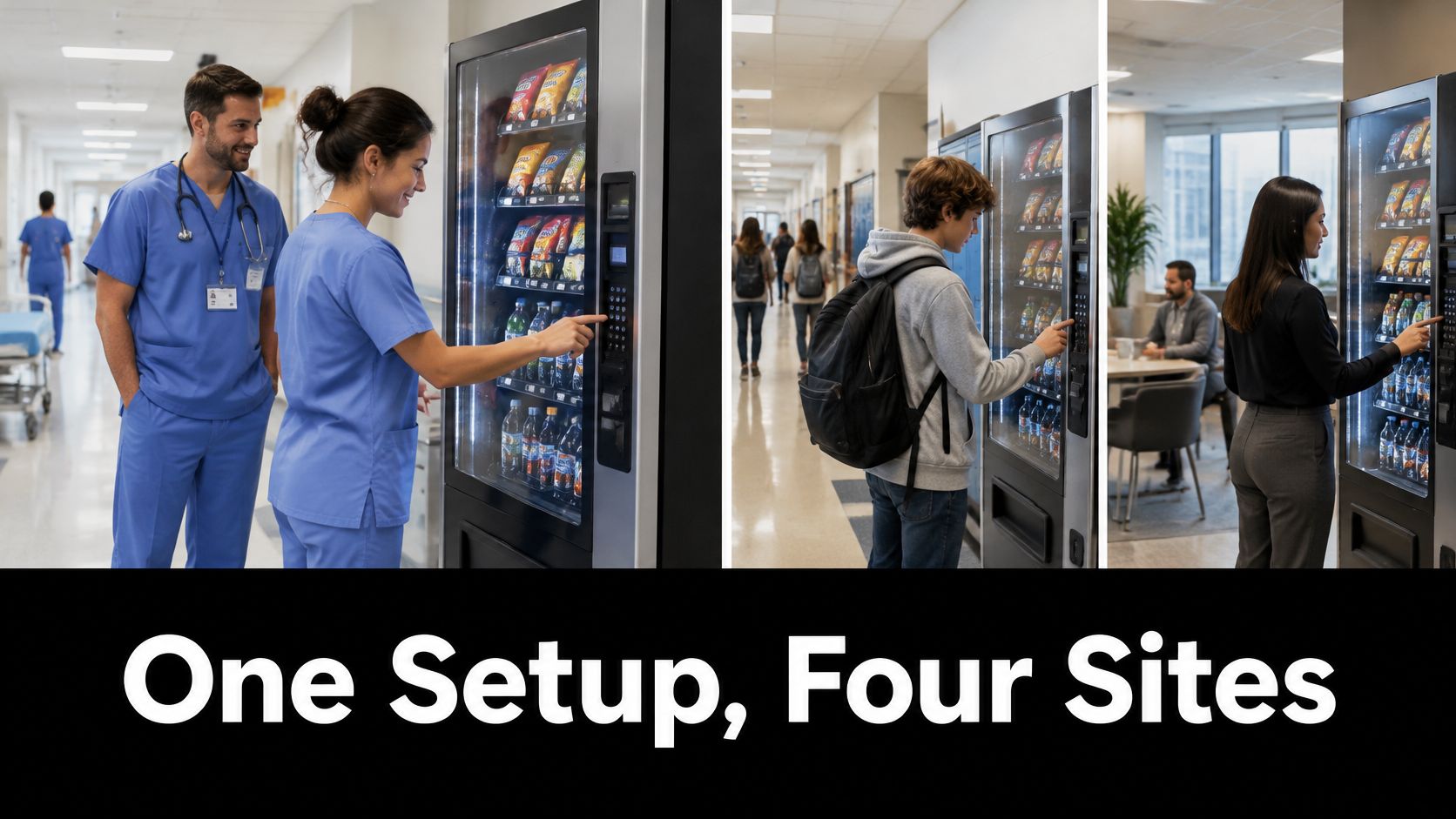
Smart vendor POS priorities and risks by site type
Site type | Main priority | Main risk |
|---|---|---|
Offices | Fast wallet payments and employee feedback on product choice | Too many unused products |
Schools and colleges | Card and wallet acceptance with strict limits on data use for minors | Students without phones are shut out |
Hospitals and clinics | Reliable uptime and dietary-appropriate product mix | Outages leave night-shift staff without food |
Airports and stadiums | High-volume tap-to-pay and visible outage notices | Queues form when a payment method fails |
Manufacturing sites | Shift-based restocking and rugged cash fallback | Stockouts during shift changes |
Residential complexes | Shared machines with resident data limits and set service schedules | Unclear service timing frustrates residents |
Match the setup to the people
Offices: Say employees request a new protein snack. Trial it in a limited slot allocation and compare purchases while it's available, rather than filling the machine with untested choices.
Schools and colleges: Keep payment access separate from assumptions about phone ownership. For minors, limit identity-linked records and provide a permitted card or cash route when phone use is restricted.
Hospitals and clinics: Plan around overnight access and clearly labeled dietary choices. A reader alert needs a named responder because night-shift staff may have few nearby alternatives.
Match service to the building
Airports and stadiums: Test checkout under peak conditions and place outage notices where customers can see them before queuing. The airport vending machines guide provides additional context for evaluating these locations.
Manufacturing sites: Restock ahead of shift-change demand, not only when the route passes nearby. Position payment equipment where normal workplace conditions won't make it difficult to use, and keep cash hardware serviceable.
Residential complexes: Publish service expectations in the shared area and separate resident feedback from identity-linked purchase histories. Residents need to know how to report an empty or failed machine without giving the operator unnecessary personal information.
The best site specification starts with who needs food, when they need it, and which payment options they can really use. Hardware selection follows those answers.
What a Smart Vendor POS Costs and How to Retrofit a Machine
There are distinct buying routes: install a new smart vending machine with an integrated POS, or retrofit existing equipment with a payment reader, controller interface, and telemetry module. A retrofit can preserve usable equipment, but only if the machine and payment system communicate properly.
Don't compare reader prices alone. A cheaper installation that cannot confirm dispensing may leave the operator manually resolving payment complaints and correcting stock records.
Separate installation from ongoing operation
Request an itemized proposal rather than a single unexplained monthly amount.
Hardware: Reader, mounting equipment, compatible controller interface, antenna, and telemetry module.
Installation: Wiring, configuration, network setup, and any required machine modifications.
Acceptance testing: Approved and declined payments, dispensing feedback, interruption recovery, and reconciliation.
Processing: Card and wallet transaction fees, minimum charges, and applicable account fees.
Connectivity and software: Per-machine cellular or network charges and dashboard subscriptions.
Field service: Restocking, repairs, cash-box collection, and responsibility for failed hardware.
The guide to adding a card reader to a vending machine is a useful starting point for retrofit planning. Before authorizing the work, confirm the machine's interface, power requirements, mounting space, and ability to report vend success or failure.
Compare the complete contract
Equipment ownership and data ownership deserve separate answers. Identify who owns the reader, modem, and machine at contract end, and whether changing processors requires replacement hardware.
Require a usable export of sales, vend, stock, and replenishment logs. A dashboard screenshot isn't a substitute for records that another system can import.
Buying check: Evaluate the installed, supported system, not just the device attached to the door.
For a first-year comparison, add hardware and installation to a full year of expected processing, connectivity, software, and service charges. Compare that total with a conservative sales scenario and the route work that reliable stock visibility could eliminate.
Keep expected improvements separate from guaranteed savings. If the proposal assumes more sales or fewer visits, document the assumptions and check them against actual results after deployment.
Choose the Payment and Data Setup Your Site Needs
The payment, telemetry and data-rule sections above each end with a decision: which tenders the machine accepts, which events the system records, and who may see and act on that data. The final step is turning those decisions into an operating agreement, because a terminal that works perfectly still fails a site when nobody owns the alert that reports a jammed coil.
Settle the division of responsibility before signing off on the hardware. Who monitors alerts, who replenishes stock, who answers a shopper complaint, and who fixes a machine that takes payment without dispensing? A vending arrangement works like a route driver's pre-trip inspection: each check takes a moment, but skipping one means discovering the problem after the truck is already on the road.
Use an acceptance checklist built from the choices made earlier.
Confirm the operating agreement
Payment mix: Record the accepted wallet, contactless-card, chip, and cash options. Cashless acceptance is an access question, since every tender the machine refuses is a shopper it turns away. Name a workable fallback for each option rather than trusting the payment-logo sticker on the door.
Telemetry: Require item-level vend logs, stockout timestamps, and failed-vend records in a dashboard the route operator can use. Show how a physical stock correction, a column refilled by hand mid-route, reaches the system so the count stays honest.
Data rules: Put collection, access, retention, incident handling, and any sensitive-site opt-out path in writing. Assign a named person to review automated assortment recommendations, because the system proposes and someone still has to approve what goes in the machine.
Test plan: Witness declined tokens, duplicate taps, connection interruptions, configured offline limits, reversals, and refund reconciliation before go-live. Record the expected result and who signs off on it.
Ownership of failures: Pair every recurring task with a named owner. Alerts need a watcher, empty columns need a restocker, shopper complaints need a responder, and chargeable repairs need a line separate from routine service.
Test at the real machine position
For an Oklahoma location, run the acceptance test at the intended machine position, not in a showroom. Confirm a live tap-to-pay purchase completes in that spot, that remote monitoring reports that exact unit, and that the cash fallback works there too. Check how support staff identify that particular machine when a shopper reports trouble, because "the machine by the east doors" gets resolved faster than an asset number nobody can find.
At Vendmoore Enterprises, our machines feature tap-to-pay and remote monitoring and accept credit/debit cards, Apple Pay, Google Wallet, and cash. We serve Oklahoma City, Norman, Moore, Del City, and the surrounding Oklahoma metro area.
Bring your occupancy pattern, shift schedule, preferred product mix, and building-access restrictions to the conversation. Those details turn a payment-terminal purchase into a working break-room arrangement with named responsibilities rather than assumptions.
Vendmoore Enterprises offers break-room vending with flexible payment acceptance and connected monitoring to support stock planning. Visit Vendmoore Enterprises to discuss your Oklahoma location and build a vending setup around the people who'll use it.
Comments